
Introduction
Technology plays an important role in almost every modern business. From daily communication and data management to customer service and business operations, companies depend on IT equipment to keep their work running smoothly. Computers, servers, networking devices, printers and other technology systems have become essential tools for everyday business activities.
However, many businesses continue using outdated IT equipment because they want to avoid the immediate expense of replacing it. At first, this may seem like a practical financial decision. If an old computer is still turning on or a server is still functioning, why spend money on a new one?
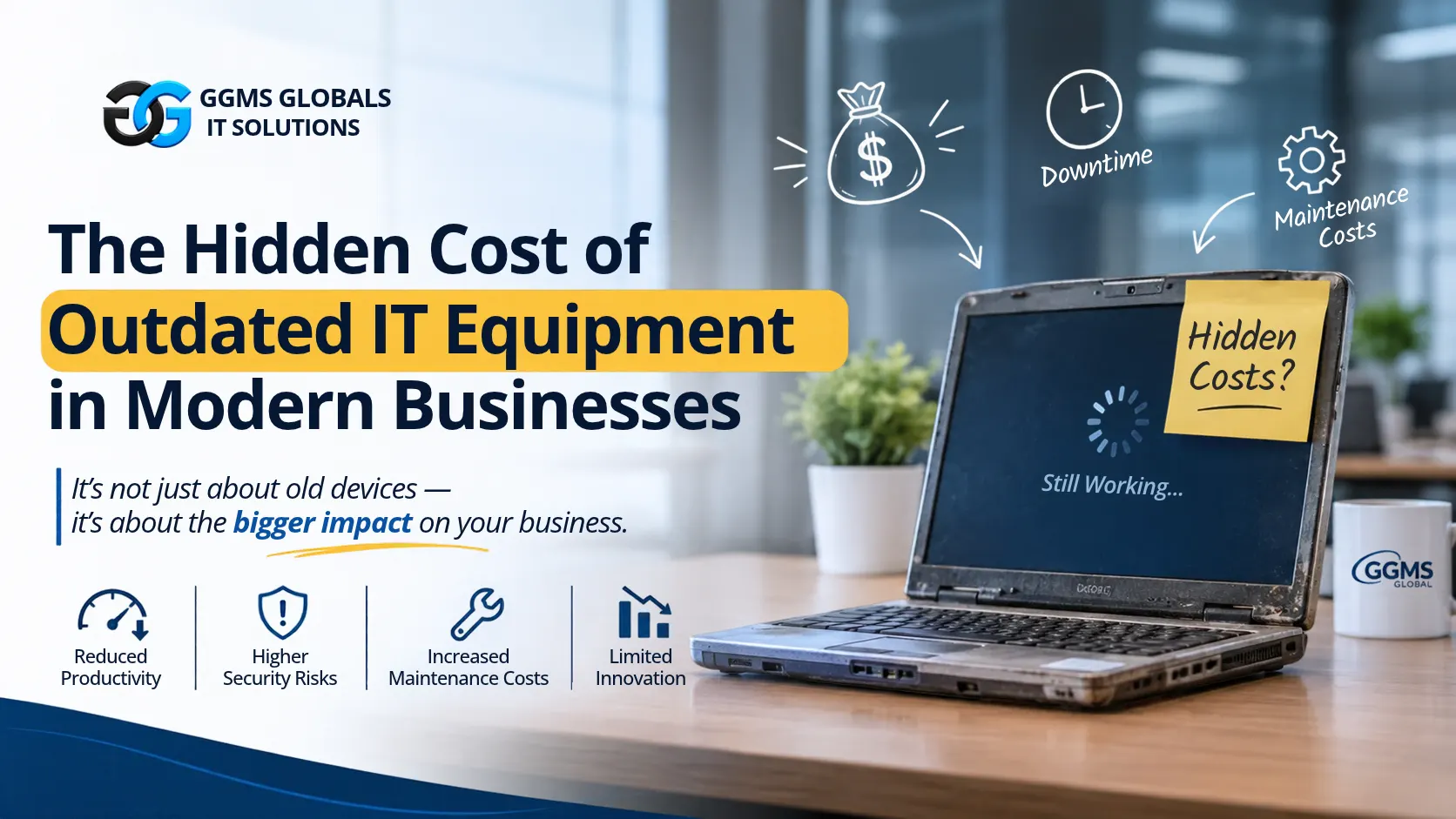
The problem is that outdated technology often costs businesses more than they realise. Slow performance, frequent repairs, security risks, reduced employee productivity and unexpected system failures can create expenses that are not always visible in the company’s budget.
In today’s competitive business environment, maintaining reliable and updated IT infrastructure is not just about having the latest technology. It is about protecting business operations, improving efficiency and avoiding unnecessary costs.
Let’s explore the hidden costs of outdated IT equipment and why businesses should consider upgrading their technology before small problems become major challenges.
1. Reduced Employee Productivity
One of the biggest hidden costs of outdated IT equipment is the loss of employee productivity.
Imagine an employee who needs to complete a report, attend an online meeting or process customer information. Instead of completing the task efficiently, they spend several minutes waiting for an old computer to start, open applications or process information.
These delays may appear small, but they can add up throughout the working day.
Outdated computers often struggle to run modern applications, handle multiple tasks and process large files. Employees may experience slow performance, application crashes and frequent system interruptions.
For businesses with multiple employees, even a few minutes of lost productivity per person can create a significant impact over time.
How businesses can address this:
- Replace computers that consistently struggle with everyday tasks.
- Ensure devices meet the requirements of modern business software.
- Monitor employee feedback about slow or unreliable equipment.
- Maintain systems regularly to improve performance.
- Investing in suitable IT equipment helps employees complete their work more efficiently and allows businesses to make better use of their working hours.
2. Increased Maintenance and Repair Costs
Many businesses continue using old equipment because replacing it seems expensive. However, frequent repairs can gradually become a bigger financial burden.
As IT equipment ages, its components become more likely to fail. Hard drives, batteries, cooling systems, power supplies and other hardware components may require regular maintenance or replacement.
For example, a company might spend money repairing the same office computers several times a year. Although each repair may seem affordable individually, the total maintenance expense can eventually approach or exceed the cost of purchasing new equipment.
Another concern is the availability of replacement parts. Older devices may become difficult to repair because manufacturers discontinue certain components.
Businesses should consider the total cost of ownership rather than looking only at the initial purchase price.
How businesses can address this:
- Track repair and maintenance expenses for each device.
- Identify equipment that requires repeated servicing.
- Compare replacement costs with long-term repair expenses.
- Create a planned IT equipment replacement schedule.
A planned replacement strategy can help businesses avoid unexpected repair expenses and manage their technology budgets more effectively.
3. Increased Cybersecurity Risks
Cybersecurity is one of the most important concerns associated with outdated IT equipment.
Technology manufacturers regularly release software updates and security patches to fix vulnerabilities and protect systems against emerging threats. However, older devices may eventually stop receiving security updates.
When businesses continue using unsupported operating systems, outdated firmware or unpatched applications, they may expose their networks and business information to cyberattacks.
Cybercriminals often look for weaknesses in systems that have not been properly maintained. A single vulnerable device can potentially become an entry point into a company’s wider IT environment
The consequences may include data theft, ransomware attacks, unauthorised access, financial losses, and damage to business reputation.
For companies handling customer information, financial records or confidential business documents, these risks can be particularly serious.
How businesses can address this:
- Replace devices that no longer receive essential security updates.
- Keep operating systems and applications updated.
- Use endpoint protection and reliable security solutions.
- Implement strong access controls and multi-factor authentication.
- Conduct regular security assessments.
Businesses should understand that cybersecurity is not only about installing antivirus software. It also requires maintaining secure and supported IT equipment.
4. Unexpected Downtime and Business Interruptions
Every business depends on reliable technology to complete daily operations. When IT equipment fails unexpectedly, the impact can extend beyond the device itself.
Consider a company whose main server suddenly stops working. Employees may lose access to important files, internal applications, customer records or business systems. Even a short interruption can affect customer service and delay important projects.
Outdated equipment is generally more vulnerable to hardware failures because of ageing components and limited manufacturer support.
Unexpected downtime can lead to:
- Delayed business operations.
- Missed customer deadlines.
- Reduced employee productivity.
- Lost sales opportunities.
- Additional technical support expenses.
- Damage to customer confidence.
For businesses that operate continuously or depend on digital systems, these interruptions can become especially expensive.
How businesses can address this:
- Monitor the condition and performance of critical equipment.
- Replace ageing servers and network devices before they become unreliable.
- Maintain regular data backups.
- Develop a business continuity and disaster recovery plan.
- Use proactive IT monitoring to identify potential problems.
Preventing equipment failure is generally more effective than trying to recover after a major system interruption.
5. Compatibility Problems With Modern Software
Business software continues to evolve. New applications are designed to provide better performance, improved security and additional features.However, outdated IT equipment may not meet the minimum system requirements needed to run these applications.
For example, older computers may struggle with modern business management platforms, advanced design applications, video conferencing tools and cloud-based software.Some older devices may also have compatibility problems with newer operating systems, drivers and network technologies.
This can prevent businesses from using useful digital tools or force employees to continue working with older software that offers limited functionality.Compatibility issues can also create additional technical support requirements and make business processes more complicated.
How businesses can address this:
- Review hardware requirements before adopting new software.
- Check whether existing equipment supports current operating systems.
- Upgrade memory, storage or other components where practical.
- Replace devices that cannot support essential business applications.
Maintaining compatible IT equipment helps businesses adopt modern technology without unnecessary operational difficulties.
6. Higher Energy Consumption and Operating Expenses
Another hidden expense of outdated IT equipment is energy consumption.
Older computers, servers and networking devices may be less energy-efficient than modern alternatives. Some ageing systems also generate more heat, requiring additional cooling to maintain suitable operating conditions.
For businesses operating multiple devices or maintaining server rooms, these expenses can become significant over time.Electricity consumption is particularly important for organisations with large offices, data centres and continuously operating IT infrastructure.Although upgrading equipment requires an initial investment, energy-efficient devices may help reduce long-term electricity and cooling expenses.
How businesses can address this:
- Identify equipment with unusually high energy consumption.
- Replace inefficient devices with energy-efficient alternatives.
- Enable power management settings where appropriate.
- Review server utilisation and remove unnecessary equipment.
- Monitor electricity and cooling expenses.
Businesses should evaluate energy efficiency as part of their overall IT investment strategy.
7. Poor Customer Experience
Technology problems do not always remain within the organisation. They can directly affect customers.Imagine a customer contacting a company for assistance, but the employee cannot access the customer database because the system is running slowly. Another customer may experience delayed responses because outdated software makes order processing difficult.
These situations can create frustration and reduce customer confidence.
In modern business environments, customers expect quick communication, reliable services and smooth digital experiences. Companies that depend on slow or unreliable technology may struggle to meet these expectations.
- Outdated IT equipment can affect:
- Customer response times.
- Online service availability.
- Payment processing.
- Order management.
- Communication between departments.
- Overall service quality.
Businesses should recognise that technology investments are also investments in customer satisfaction.Reliable IT infrastructure helps employees respond faster, manage information accurately and deliver better services.
8. Limited Ability to Grow and Adopt New Technology
As businesses expand, their technology requirements also increase.A small company may initially operate with a few computers and basic networking equipment. However, as the
organisation grows, it may need additional employees, advanced applications, cloud services, stronger network capacity and better data management systems.Outdated equipment may not have the capacity to support these changes.
For example, an ageing server may struggle to handle increased workloads, while an older network infrastructure may not provide sufficient performance for additional employees and connected devices.This can slow down business expansion and make it difficult to introduce new technologies.
How businesses can address this:
- Review future business and technology requirements.
- Invest in scalable IT infrastructure.
- Consider cloud-based solutions where appropriate.
- Upgrade networking equipment when business demands increase.
- Work with experienced IT professionals to plan infrastructure improvements.
A scalable technology strategy helps businesses prepare for future requirements rather than constantly reacting to existing problems.
9. The Financial Impact of Delaying IT Upgrades
One of the most common mistakes businesses make is treating IT equipment replacement as an unnecessary expense instead of a long-term investment.The initial cost of purchasing new computers, servers or networking equipment can seem high. However, businesses should also calculate the expenses associated with keeping outdated technology.
These may include:
- Frequent hardware repairs.
- Increased technical support costs.
- Employee productivity losses.
- Higher energy consumption.
- Security incident recovery expenses.
- Business interruption costs.
- Lost customer opportunities.
When all these factors are considered together, replacing outdated equipment may be more financially beneficial than continuing to maintain unreliable systems.
A useful approach is to calculate the total cost of ownership (TCO). This includes the purchase price, installation, maintenance, support, energy consumption and eventual replacement costs.
By understanding the full financial impact, businesses can make more informed IT investment decisions.
10. How Businesses Can Create an Effective IT Upgrade Strategy
Replacing all IT equipment at once may not be practical for every organisation. Businesses should instead develop a structured upgrade strategy based on operational needs, security requirements and available budgets.
Here are some practical steps:
1. Conduct an IT equipment audit
Prepare a list of all computers, servers, networking devices and other IT assets. Record their age, condition, performance and maintenance history.
2. Identify high-risk equipment
Prioritise devices that frequently fail, no longer receive security updates or affect important business operations.
3. Set an upgrade budget
Estimate replacement costs and allocate a realistic budget for essential equipment and future technology requirements.
4. Prioritise critical systems
Start with equipment that directly supports important business operations, such as servers, network infrastructure and employee workstations.
5. Consider professional IT support
An experienced IT service provider can help assess existing infrastructure, identify weaknesses and recommend suitable upgrades.
6. Monitor performance regularly
Continue reviewing equipment performance, maintenance expenses and security requirements after upgrades are completed.
A planned approach allows businesses to modernise their IT infrastructure without placing unnecessary pressure on their budgets.
Conclusion
Outdated IT equipment may appear to be a cost-saving option, but the hidden expenses can affect almost every part of a business. Reduced employee productivity, frequent repairs, cybersecurity vulnerabilities, unexpected downtime and poor customer experiences can gradually create significant financial and operational challenges.Modernising IT infrastructure does not necessarily mean replacing every device with the newest available technology. It means understanding business requirements, identifying outdated equipment and investing in reliable solutions that support long-term growth.Businesses that take a proactive approach to IT maintenance and upgrades can improve operational efficiency, reduce avoidable expenses and create a more secure working environment.For organisations looking to improve their technology infrastructure, working with an experienced IT solutions provider can make the upgrade process easier and more effective.
GGMS Global supports businesses with IT infrastructure, managed IT services, cybersecurity, cloud solutions and other technology services designed to support modern business operations.
Visit GGMS Global to explore IT solutions that can help your business build a more reliable and efficient technology environment.